
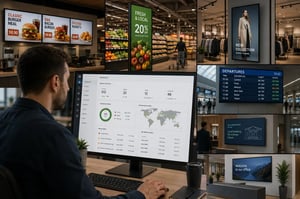
A screen that goes dark during breakfast service, shows an expired price promotion, or displays the wrong safety message is not a minor technical issue. It is an operational failure at a customer-facing or employee-facing touchpoint. Commercial displays are often purchased as hardware, but their business value depends on the system that governs content, connectivity, device health, and accountability after installation.
For organizations operating stores, restaurants, branches, offices, transport hubs, or control environments, the question is not simply which display to buy. The practical question is how hundreds or thousands of endpoints will remain accurate, available, secure, and manageable across locations and time zones.
Commercial Displays Are Part of the Operating Environment
Consumer televisions can be appropriate for limited, low-risk use. They are not designed around the same duty cycles, remote management requirements, mounting conditions, or support expectations as professional hardware. A commercial display is specified for continuous or extended operation, predictable brightness, commercial warranties, and integration into a managed digital signage or control architecture.
That distinction matters most once a network expands. A single lobby screen can be updated manually. A network of menu boards across restaurant locations cannot depend on local intervention every time pricing changes. A bank cannot treat regulatory messaging as a file that may or may not reach every branch. A control room cannot accept uncertainty about whether a visualization wall is receiving the correct live data.
The display is therefore one component of a larger operational chain. Content must be approved, scheduled, and delivered. Players and screens must report their status. Network interruptions must be handled without creating blank screens. Local teams need clear ownership when an incident requires physical action. Governance has to cover all of it.
The Hardware Decision Starts With the Use Case
Display selection should begin with the environment and the consequence of downtime, not with diagonal size alone. Brightness is a common example. A screen behind a storefront window may need substantially more luminance than one in a controlled office environment. Selecting a lower-brightness model can reduce initial cost while making content unreadable at the hours when foot traffic is highest.
Operating hours are equally consequential. A display in a corporate reception area may run during business hours. A QSR drive-thru, transportation venue, or security environment may require 24/7 operation. Heat, dust, orientation, viewing distance, and enclosure design also affect the specification. Portrait displays, video walls, outdoor units, and shelf-edge screens each introduce different installation and maintenance requirements.
Professional hardware should be assessed against several operational criteria:
- Duty cycle and thermal performance for the required operating hours
- Brightness, anti-glare treatment, and viewing angles for the physical location
- Remote power control, status reporting, and commercial warranty coverage
- Compatibility with the selected media player, content platform, mounts, and network architecture
Content Governance Is What Makes the Network Useful
Most display networks do not fail because teams cannot create content. They fail because content operations become fragmented. Marketing needs campaign control. Operations needs location-specific accuracy. Legal or compliance teams may need approval workflows. Facilities needs visibility into device condition. IT needs a secure architecture and traceability.
Without a central platform, those requirements are handled through email, local USB updates, shared folders, and disconnected spreadsheets. The result is slow deployment, uncertain version control, and little evidence of what was actually shown at a given location.
DEX Manager addresses this operating problem by centralizing the management of digital signage networks. It provides the control layer for scheduling, distributing, and monitoring content across commercial displays and associated devices. A central team can define campaign rules, create location groups, apply content by time or condition, and maintain a record of activity without making every site responsible for local updates.
This is particularly valuable when content has a short operational life. Restaurant menu changes, retail price messaging, branch notices, and internal crisis communications can be planned centrally and activated according to approved schedules. Where localization is required, a regional team can work within defined governance rather than creating an uncontrolled parallel process.
The objective is not to remove local relevance. It is to make local relevance manageable at scale.
Availability Requires Monitoring, Not Assumptions
A screen that appears active from a distance may still be failing operationally. Its player may be disconnected, its content may be stale, or its panel may be showing a persistent error. Availability needs to be measured at the endpoint, not inferred from a deployment report.
DEX Manager supports centralized visibility of device status so operations teams can identify exceptions before they become site-level complaints. This changes the support model. Instead of waiting for a store manager or receptionist to report an issue, the network can be monitored through defined alerts, dashboards, and escalation procedures.
The appropriate response depends on the criticality of the display. A promotional screen may tolerate a replacement window. A queue-management screen, emergency communication point, or control-room visualization may require immediate triage and 24/7 support coverage. Treating every endpoint identically either creates unnecessary cost or exposes critical locations to avoidable risk.
Integration Extends the Role of the Screen
Commercial displays become more valuable when they respond to operational data rather than a fixed content playlist. This is where digital signage moves from a communications channel to part of the physical-space control model.
A retailer might use inventory or pricing data to determine which messages appear at a department display. A restaurant can synchronize menu availability with its ordering environment. A corporate campus can display room status, visitor information, and operational notices. In a control environment, video walls need to bring together data sources that support faster, better-informed decisions.
C-Control is designed for this level of integration and visual control. It can connect display experiences with data, IoT sensors, cameras, and other physical-space systems. The value is not the presence of more data on a screen. It is the ability to present the right information to the right audience, in the right location, under defined operational conditions.
Integration must be governed carefully. A live data feed without validation can distribute errors at speed. A camera or sensor integration also raises security, privacy, network, and retention considerations. Enterprise architecture should define ownership of each source, the actions that depend on it, and the fallback behavior if data is unavailable.
Deployment at Scale Needs Clear Responsibility Boundaries
A commercial display program crosses several disciplines: AV hardware, network connectivity, content production, facilities, information security, and field support. Projects lose momentum when responsibility between these groups is assumed rather than documented.
An effective deployment model defines who approves content, who manages platform access, who monitors device health, who performs on-site maintenance, and who owns escalation when a location is offline. It also establishes standards for device naming, location hierarchy, network configuration, and replacement stock. These details are not administrative overhead. They are the foundation for traceability and continuity of operations.
DEX Manager can be deployed by SIA Interactive or through a certified partner network, allowing organizations to use a delivery model aligned with their regional coverage and internal capabilities. The essential requirement is consistent platform governance across the deployment, regardless of who installs or services individual sites.
For distributed organizations across Europe and the Middle East, this consistency is especially relevant. Hardware availability, site conditions, language requirements, and local support models can differ by market. The operating standard should not. Central policy and regional execution need to work within the same architecture.
Measure the Outcome Beyond Screen Uptime
Uptime is necessary, but it is not the only measure of a successful display network. A fully operational screen showing irrelevant content still wastes attention and investment. Performance measures should connect technical availability with business purpose.
For retail, that may include campaign activation accuracy, time to update promotions, and execution consistency between locations. For restaurants, it may include menu accuracy during peak periods and reduced dependence on manual signage changes. For corporate communications, it can include message reach and the speed of emergency updates. For control rooms, the relevant measure may be visibility of critical data sources and recovery time after an endpoint failure.
Not every use case requires the same architecture. A small, static information network can operate with a simpler model than a high-availability, data-driven environment. But once displays influence transactions, safety, brand compliance, or operational decisions, they need to be treated as managed infrastructure.
The useful next step is to map one real display journey from content approval to the screen at a live location, then ask where visibility, control, or recovery depends on manual effort. That exercise usually reveals whether the network is merely installed or genuinely ready to operate.