
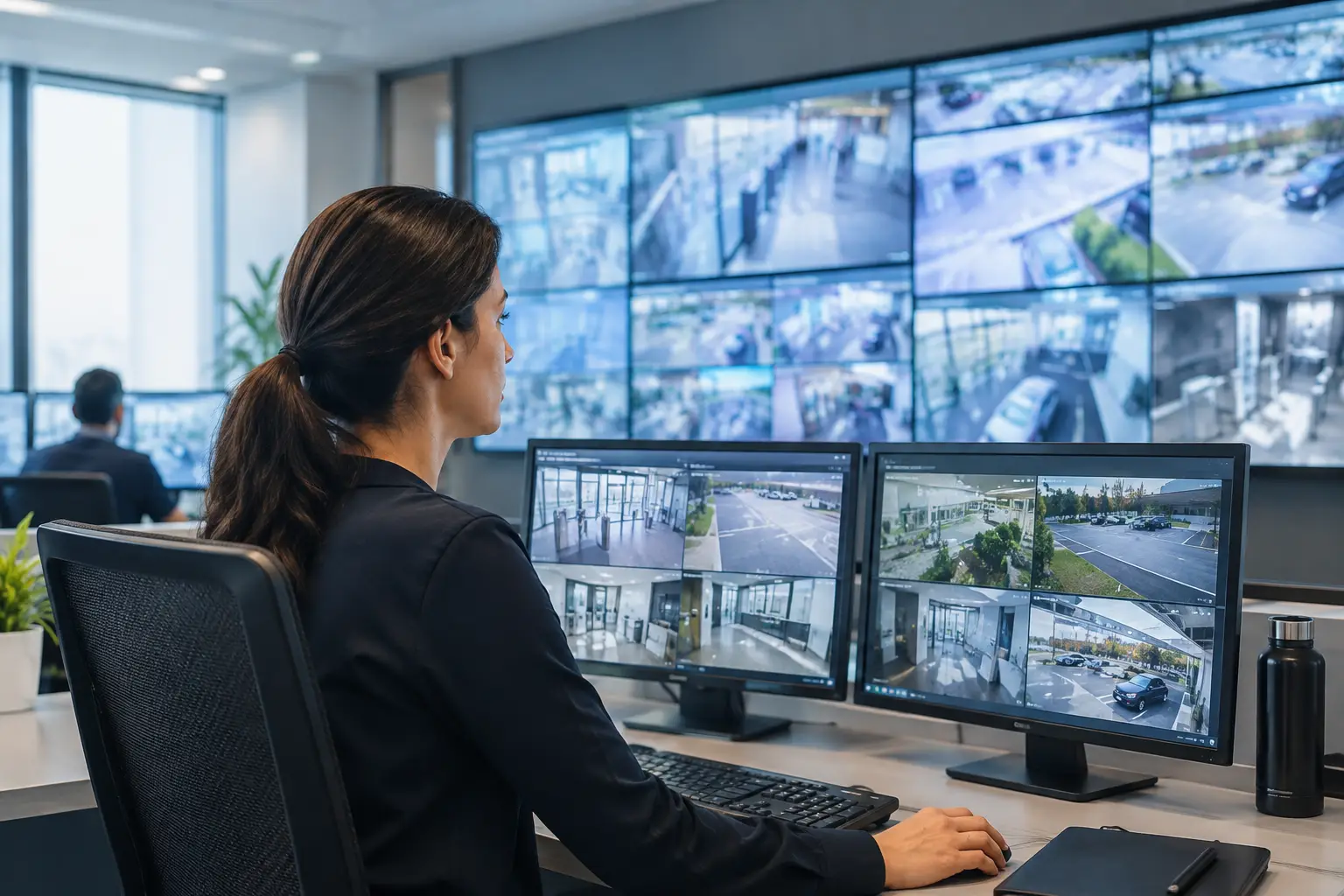
A control room can receive an alarm in seconds and still lose critical minutes finding the context behind it. An operator may need to switch between a video platform, a building management system, a map, an access-control application, and a maintenance dashboard before deciding what the alarm actually means. When teams ask, “what is visual incident management?”, they are usually trying to solve this operational gap.
C-Control addresses it through multi-source visualization: a configurable operational workspace that brings relevant systems, camera feeds, maps, data dashboards, and alerts into a common view. The objective is not to replace every existing operational platform. It is to give operators a clearer, governed way to see their combined status, assess an event, and coordinate the next action.
What is visual incident management?
Visual incident management is the practice of monitoring, interpreting, and coordinating incident response through a shared visual representation of operational information. Instead of treating alarms, video, device status, location data, and workflow context as separate streams, the control room presents them together in views designed for a specific operational scenario.
For example, a security event at a facility entrance may require an operator to see the alert source, the associated camera feed, a site map, the status of nearby doors, and relevant access-control information. A facilities incident may require a different arrangement: an alarm panel, temperature or energy readings, equipment status, a floor plan, and the service ticketing context. The right view depends on the event and the organization’s response model.
This distinction matters. Visual incident management is not simply a wall of screens, nor is it a dashboard that aggregates data without operational purpose. It is an architecture for turning multiple technical sources into an actionable, role-based visual environment.
How C-Control supports visual incident management
C-Control is designed for control rooms that need centralized management of diverse operational sources. It enables operators to configure views that combine video, maps, web applications, IoT data, dashboards, and other connected systems on control-room displays and operator workstations.
A configurable view can be structured around a site, a process, an asset group, or an incident type. This gives teams a practical alternative to fixed layouts that force every operator to work the same way, regardless of responsibility. Security, facilities, operations, and leadership teams can use different views while working from the same underlying operational picture.
The platform also supports multi-source visualization across display environments. Information can be organized for individual operator screens, shared videowalls, or both. A videowall may provide broad situational awareness across sites, while the workstation view gives an operator the detailed tools needed to investigate a specific event.
Centralized management is essential when a control-room estate includes multiple rooms, remote sites, or distributed devices. Administrators can manage visual configurations and content from a central environment rather than manually recreating layouts on each endpoint. This supports governance, consistent presentation, and faster changes when operational priorities shift.
From alarm to operational context
The value of visual incident management is most visible in the first minutes of an event. An alarm on its own signals that a threshold has been crossed. It does not always explain severity, location, cause, or business impact.
A visual workflow adds context around the alarm. If a sensor identifies an abnormal condition, the operator can view its location on a map, compare the reading with related equipment data, and open the relevant camera feed or application. If an incident affects a public area, the operator may also need to publish approved instructions to digital signage screens through a connected communication workflow.
This does not eliminate the need for trained personnel, escalation procedures, or source-system expertise. It reduces the friction of moving between systems and gives the team a common reference point while decisions are being made. In environments with high operational criticality, that common reference can improve coordination between operators, supervisors, field teams, and technical support.
Traceability also improves when operational teams work from defined views and established response procedures. Organizations can standardize what information should be visible for a particular alert class, rather than relying solely on personal experience or informal screen arrangements.
The software, data, and hardware architecture behind it
Visual incident management requires more than a visualization layer. The underlying architecture must connect the operational sources that matter, present them reliably, and support continuous operation across the display estate.
C-Control can act as the centralized visual layer, while integrations provide access to the systems already used by the organization. These may include video management platforms, building and energy management systems, access control, IoT sensors, cameras, maps, enterprise applications, and web-based dashboards. The exact integration scope depends on each system’s interfaces and on the organization’s security and governance requirements.
The display layer is equally important. Commercial displays and LED videowalls provide shared visibility in the control room, while operator workstations support detailed interaction. In large environments, screen and device monitoring helps technical teams verify that the visual layer is available when it is needed. A blank display, disconnected endpoint, or misconfigured input can create its own operational risk during an incident.
For this reason, deployment design should account for network architecture, endpoint management, permissions, redundancy requirements, and the lifecycle of connected hardware. Cloud scalability can simplify centralized operation across many sites, but local dependencies, bandwidth, and resilience requirements still need to be assessed. There is no single architecture that fits every control room.
Where visual incident management is used
The model is useful wherever multiple systems must be interpreted together under time pressure. Common applications include:
- Security operations: Correlating alarms, live video, access-control events, and site maps to assess and coordinate response to security incidents.
- Facilities and smart buildings: Monitoring equipment status, building systems, occupancy signals, environmental sensors, and maintenance information across a portfolio.
- Transport and infrastructure: Presenting camera feeds, operational dashboards, traffic or asset data, and geographic views for distributed infrastructure.
- Industrial and logistics environments: Combining process indicators, equipment alerts, warehouse views, and connected device data to maintain continuity of operations.
- Corporate and campus operations: Coordinating security, facilities, and emergency communication across offices, campuses, and shared spaces.
Design principles that prevent visual overload
Adding more data to a screen does not automatically improve situational awareness. In fact, poorly designed views can slow assessment by forcing operators to search through irrelevant information. Visual incident management must be intentional.
Start with the decisions an operator needs to make. For each incident type, identify the information needed to classify the event, assess its scope, coordinate action, and confirm recovery. Then configure views around those questions. A high-priority event view should not look like a general performance dashboard.
Role-based access is also fundamental. Not every user should have access to every video stream, system control, or operational dataset. Permissions should reflect responsibilities and security policy, particularly where the control room connects systems owned by different departments.
Finally, test views under realistic conditions. An arrangement that appears clear in a configuration session may be difficult to use during a busy shift, on a large videowall, or when several alerts occur simultaneously. Operational feedback should inform ongoing adjustments to layouts, source priorities, and escalation workflows.
Visual incident management works best when it is treated as part of the operating model, not as a display project. A well-configured C-Control environment gives teams a controlled visual layer for the systems they already depend on, while leaving room to adapt views as sites, risks, and operational priorities change. The most useful next step is to map one high-criticality incident from its first alert to resolution, then design the visual context the operator should have at every decision point.