
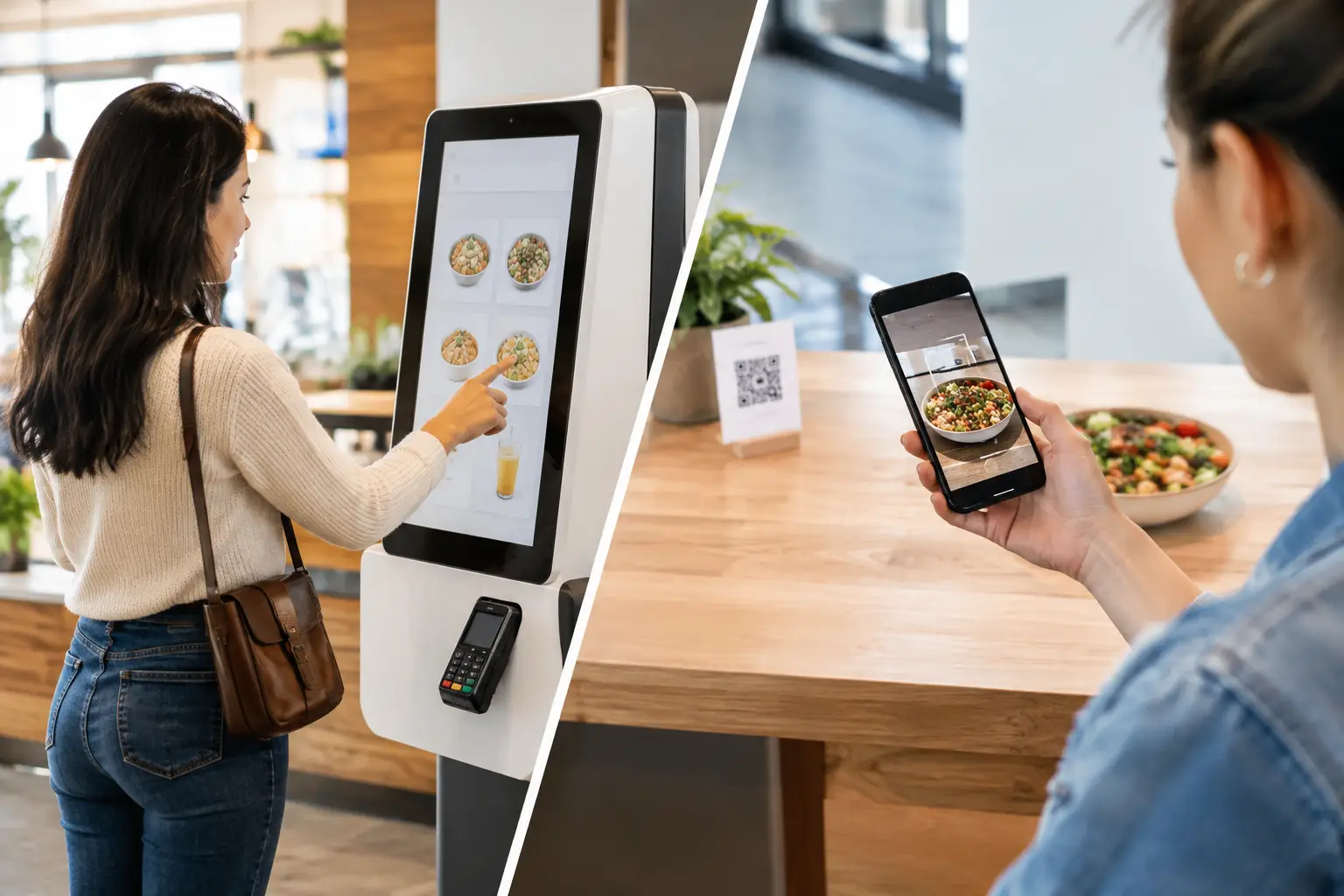
A lunch rush exposes weak ordering architecture fast. A QR code may remove the physical queue, but it can shift friction onto a guest’s phone, network connection, and payment journey. A kiosk keeps the interaction on-site and visible, but introduces hardware, payment peripherals, and a larger operational support surface. The QR ordering versus kiosks decision is therefore not a question of novelty. It is a decision about throughput, customer access, operational governance, and continuity at each location.
For multi-site restaurant, retail, and hospitality operators, the strongest answer is often not an either-or deployment. It is a controlled ordering model that assigns each channel a clear job, then manages the screens, devices, content, and exceptions from one operating environment.
QR Ordering Versus Kiosks Starts With the Queue
The first question is not which interface customers prefer. It is where demand accumulates and what happens when it does.
QR ordering works well when customers are already seated, have time to browse, and can receive service at the table or collect from a clearly defined pickup point. Full-service restaurants, food halls, hotel venues, and stadium hospitality can use QR codes to move order capture away from staff without creating another physical ordering line. The guest uses a personal device, so the operator does not need to place a terminal at every table.
Self-order kiosks are designed for a different pressure point: a high-volume, short-duration transaction at the counter. In quick-service restaurants, convenience retail, and high-traffic cafeterias, a kiosk gives customers a dedicated ordering surface with a consistent path through menus, modifiers, payment, and receipt or order-number collection. It can reduce congestion at staffed registers while keeping the experience within the operator’s physical environment.
The distinction matters because queue reduction is not simply about adding channels. If a QR experience sends every completed order to an unstructured pickup counter, the queue has only moved. If kiosks capture orders quickly but kitchen capacity cannot absorb them, the visible line disappears while wait times rise. Ordering technology must be connected to production capacity, order routing, and customer communication.
Where QR Ordering Has the Advantage
QR ordering has a lower physical footprint and can be deployed quickly across tables, counters, shelf areas, or temporary venues. It is especially effective where an organization wants to extend ordering without adding a large amount of on-site hardware.
Its main commercial advantage is contextual ordering. A guest can scan a code at a specific table, zone, or product display and enter a relevant menu or catalog. That can support table identification, localized promotions, language selection, and targeted upsell logic. For venues with frequent layout changes or seasonal activations, replacing a printed code is simpler than relocating a kiosk.
It also gives customers control over pace. They can browse without feeling pressure from a queue behind them, review modifiers, or reorder from the same table. This can be valuable for larger parties and complex menus.
But QR ordering is not friction-free by default. It relies on a customer having a charged smartphone, acceptable connectivity, a willingness to scan, and confidence in the payment flow. Some customers do not want to install an app, disclose details, or manage a web checkout while standing in a busy venue. A poor landing page, slow mobile menu, or unclear pickup instruction can erase the operational gains quickly.
QR should also never become the only path to service. Accessibility, customer preference, and exception handling require a staffed alternative or another accessible ordering channel. The operational goal is to reduce avoidable workload, not to make service conditional on device ownership.
Where Kiosks Deliver More Control
Kiosks provide a controlled endpoint. The screen size, menu sequence, payment integration, accessibility settings, and physical placement are defined by the operator. There is no dependency on a guest’s device model, browser state, battery level, or mobile data plan.
That control is particularly useful for standardized, repeatable transactions. A kiosk can guide a customer through required choices, show high-margin add-ons at the right point in the transaction, and apply a consistent visual identity across hundreds of locations. In multilingual environments, it can present language options immediately without requiring separate printed menus or staff intervention.
The trade-off is operational ownership. A kiosk is not only a screen. It may include a payment terminal, printer, scanner, accessibility components, enclosure, network connection, and peripherals that need monitoring. A single unavailable kiosk may not stop a location from trading, but several failed endpoints during peak periods can create a material service incident.
That makes remote observability essential. Operations teams need to know whether a screen is online, whether the ordering application is running, whether content is current, and whether a payment or printing component requires attention. They also need a defined response model for issues that cannot be corrected remotely.
The Real Decision Is an Operating Model
Comparing QR ordering and kiosks only on initial cost produces weak decisions. QR has less endpoint hardware, but it requires a reliable mobile ordering journey, well-maintained menu data, clear signage, and integration with the transaction and fulfillment stack. Kiosks require more capital equipment and field support, but can deliver greater consistency for high-volume flows.
A practical evaluation should measure the conditions at each site:
- Peak transactions by 15-minute interval, not only daily volume
- Menu complexity, modifiers, and frequency of price or availability changes
- Customer mix, including accessibility and assisted-service requirements
- Network resilience and the fallback process during an outage
- Kitchen, bar, or fulfillment capacity at peak demand
- The ability to manage content, software versions, and device health centrally
The key is to avoid channel conflict. If the kiosk promotes a product that QR ordering cannot fulfill, or if mobile and kiosk menus display different availability, customers and staff inherit the reconciliation work. One source of truth for menu content, pricing, campaigns, and operational status is more valuable than a visually impressive interface.
Governance Determines Whether the Model Scales
At ten locations, local workarounds can mask weak governance. At 100 or 1,000 locations, they become recurring incidents: an outdated promotion remains live, a kiosk runs an old application build, a QR code points to the wrong menu, or a location cannot respond quickly to a failed device.
DEX Manager provides the control layer for this distributed environment. The platform can centrally manage digital experiences across commercial displays and self-service endpoints, allowing teams to publish approved content, apply scheduling rules, monitor device status, and maintain traceability across the estate. It gives operations, marketing, and technology teams defined control without requiring every change to be performed at the location.
For ordering deployments, that governance supports practical outcomes. Marketing teams can coordinate menu messaging with campaigns. Operations teams can remove unavailable items or redirect demand to another fulfillment point. Technology teams can track endpoint status and manage software consistency. When the experience depends on connected equipment beyond screens, C-Control can extend the architecture to physical-space signals and IoT inputs, supporting automated responses based on operational conditions.
This is where platform ownership matters. The issue is not simply whether a kiosk or QR page works on launch day. It is whether the organization can operate thousands of customer-facing touchpoints with role-based control, auditability, monitoring, and a clear support model. DEX Manager can be deployed by SIA Interactive or through a certified partner network, depending on the delivery structure and regional operating model.
Design for Failure Before You Design for Conversion
Every ordering channel needs a defined degraded mode. If a payment service is unavailable, can the customer still place an order and pay at collection? If the venue network fails, what remains visible on the kiosk and how are staff alerted? If a QR code is damaged or customers cannot scan it, is there a clear alternate route without forcing them to ask multiple staff members?
This planning is not pessimism. It protects continuity during the moments when a location is under the greatest pressure. The best ordering architecture keeps customers moving, gives staff a simple exception path, and provides central teams enough visibility to distinguish a local issue from a wider incident.
Choose QR ordering when context, flexible deployment, and table-based service matter most. Choose kiosks when transaction speed, guided journeys, and controlled on-site interaction are the priority. Where both conditions exist, use both channels under one governed operational model. The value is not in replacing one screen with another. It is in making every order path reliable when the queue is longest.