
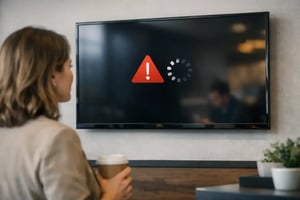
A blank menu board during lunch service, an outdated promotion in a flagship store, or a frozen dashboard in a control room is not simply a screen issue. Display playback failures interrupt revenue activity, weaken customer communication, and create uncertainty about whether a distributed device network is under control. For organizations operating hundreds or thousands of endpoints, the real requirement is not just to restore a failed display. It is to detect, diagnose, recover, and document the incident without relying on a local person to notice it first.
Why Display Playback Failures Become an Operations Problem
A display can appear powered on while still failing its operational purpose. The screen may show a stale playlist, a media player may lose its content schedule, a network connection may be unstable, or a content asset may fail to render correctly. From a distance, all of these conditions can look similar: the intended message is not playing.
The business impact depends on the environment. In quick-service restaurants, failed playback can leave customers without accurate menu or pricing information. In retail, it can break campaign timing across locations. In corporate environments, it can prevent urgent messages from reaching employees and visitors. In a control center, a missed data visualization can affect situational awareness and response coordination.
This is why display availability cannot be governed only through a basic content publishing workflow. Organizations need an operational architecture that distinguishes between content issues, player issues, display issues, connectivity issues, and power-related events. Each category has a different owner, recovery path, and escalation threshold.
The Failure Points Behind a Blank or Stale Screen
Most playback incidents are not caused by one dramatic hardware failure. They emerge from small dependencies across the endpoint stack. Understanding that stack is the first step toward reducing unnecessary site visits and restoring service faster.
Content and Scheduling Errors
A playlist may be published without compatible media, assigned to the wrong device group, or configured with an incorrect schedule. Time zone configuration also matters for multinational networks, particularly where campaigns, menus, or public information must change at a precise local time.
These errors can be prevented through role-based publishing, approval processes, content validation, and a clear distinction between test environments and live device groups. Governance is not bureaucracy in this context. It is a way to avoid turning every content update into a production risk.
Player and Operating System Events
Media players can freeze, lose available storage, restart after an operating system update, or stop responding to a remote management service. A device may technically remain online but no longer process the playback command it receives.
Remote health monitoring should therefore capture more than online or offline status. Useful operational data includes player uptime, application status, storage capacity, CPU and memory conditions, last successful content download, and the timestamp of the last confirmed playback event. This gives the operations team evidence to act on rather than a generic alert.
Network, Display, and Power Dependencies
A failed connection may prevent new content from reaching the player, while a display setting or input-source change may leave a working player invisible to viewers. Power interruptions, unstable local circuits, and HDMI connection faults can produce the same customer-facing result as a software issue.
The appropriate response depends on the source of the event. A remote application restart may resolve a player process failure. It will not fix a disconnected cable, a failed panel, or a local power issue. Effective incident handling starts by separating what can be recovered remotely from what requires action at the site.
Build Monitoring Around Playback, Not Device Presence
A common weakness in digital signage operations is treating a device heartbeat as proof that content is being displayed. A player can be connected to the network and still show the wrong image, an outdated message, or no useful content at all.
A stronger model uses proof of play and visual verification as operational controls. Proof of play records whether assigned content was played according to the intended schedule. Visual monitoring, including camera-based verification where appropriate, adds a further layer by confirming what is actually visible on the physical screen. The two capabilities serve different purposes and should not be treated as interchangeable.
DEX Manager supports centralized control of distributed display networks by bringing device status, content operations, monitoring, and recovery workflows into one management environment. Rather than relying on manual checks across individual locations, operational teams can identify exceptions by device group, region, campaign, or criticality level. The platform can be deployed by SIA Interactive or through a certified partner network, with the same requirement for traceability and consistent governance.
For large networks, alert design matters as much as alert coverage. If every short network interruption produces a high-priority notification, teams begin to ignore alerts. A better policy distinguishes between a temporary event, a recurring issue, and a confirmed loss of playback on a business-critical screen. Escalation should reflect the operational role of the endpoint.
Create a Recovery Path Before the Incident
The fastest resolution comes from predefined actions, not improvised troubleshooting. Each display class should have a documented recovery path that identifies what can be automated, what requires remote operator review, and when a field intervention is justified.
For example, a standard retail display may permit an automated player restart after a defined period without confirmed playback. A menu board or control room display may need faster escalation and a secondary validation step before any restart, because interruption carries greater operational cost. The right policy depends on the use case, service window, local hardware design, and whether redundant screens are available.
A practical recovery workflow usually follows this sequence:
1. Confirm whether the failure concerns content delivery, playback, display visibility, or connectivity.
2. Check the last known successful playback event and current device telemetry.
3. Apply approved remote remediation, such as content republishing, application restart, or player reboot.
4. Verify recovery through proof of play and, where available, visual confirmation.
5. Create a traceable incident record when the issue persists, repeats, or affects a critical endpoint.
This process prevents two costly outcomes: sending technicians to solve an issue that could have been fixed remotely, and repeatedly restarting devices without identifying an underlying network or hardware defect.
Use Hardware Standards to Reduce Uncertainty
Software control is essential, but it cannot compensate for unsuitable endpoint hardware. Consumer displays, unmanaged media players, and inconsistent local installation practices often create preventable failure patterns. A commercial network needs displays rated for their operating hours, players suited to the required content and integration workload, and standardized configuration across sites.
Standardization makes remote diagnosis more reliable. When an operations team knows the approved display models, player image, network configuration, and mounting method, it can interpret alerts with greater confidence. When every location has a different device combination, even simple incidents become investigation projects.
This does not mean every network requires identical hardware. A videowall, a self-order kiosk, an electronic label network, and a meeting room display have different requirements. The objective is to define supported architectures by use case, maintain accurate asset records, and avoid unmanaged variation inside each architecture.
Measure the Right Operational Indicators
Availability is valuable, but a single uptime percentage can hide repeated failures on high-value devices or prolonged incidents during business-critical periods. Leadership teams need measures that connect technical performance to service continuity.
Useful indicators include confirmed playback rate, mean time to detect, mean time to recover, recurring incident rate by device model or location, percentage of incidents resolved remotely, and campaign compliance by scheduled screen. These measures help operations, IT, facilities, and marketing work from the same evidence.
They also reveal where investment is needed. A high volume of offline events in one region may indicate a connectivity issue. Repeat player reboots may point to an application image or hardware lifecycle problem. Low proof-of-play compliance during store opening hours may expose scheduling governance rather than device reliability.
Treat Playback Reliability as a Shared Control
Display playback sits at the intersection of technology, content, facilities, and local operations. No single team can protect continuity alone. IT may own network standards, marketing may own campaign content, facilities may coordinate power and access, and an operations center may manage daily exceptions.
The practical answer is a shared operating model with clear ownership. Define who publishes content, who approves high-impact changes, who monitors alerts, who can execute remote recovery, and who receives a field-service escalation. Keep the evidence in the management platform so that recurring issues can be analyzed rather than rediscovered at every incident.
When display playback failures are managed as a measurable operational condition rather than an occasional screen complaint, the network becomes easier to govern. The most useful question after every incident is not simply whether the screen came back online. It is whether the organization now has enough evidence to prevent the same failure from returning.