
A display decision can affect more than visual impact. It determines how teams publish urgent content, how quickly faults are identified, how much floor space is required, and whether a site can maintain continuity during extended operating hours. When evaluating LED videowalls versus LCD displays, the right answer depends on viewing distance, content, ambient light, operating schedule, and the governance model behind the screen.
For a single meeting room, store department, or menu board location, the hardware choice may be straightforward. For a control room, a national retail network, or a customer-facing estate operating across regions, the decision becomes architectural. The display is one layer of a wider system that includes content workflows, device monitoring, network design, support responsibilities, and evidence that each screen is operating as intended.
LED Videowalls Versus LCD Displays: The Core Difference
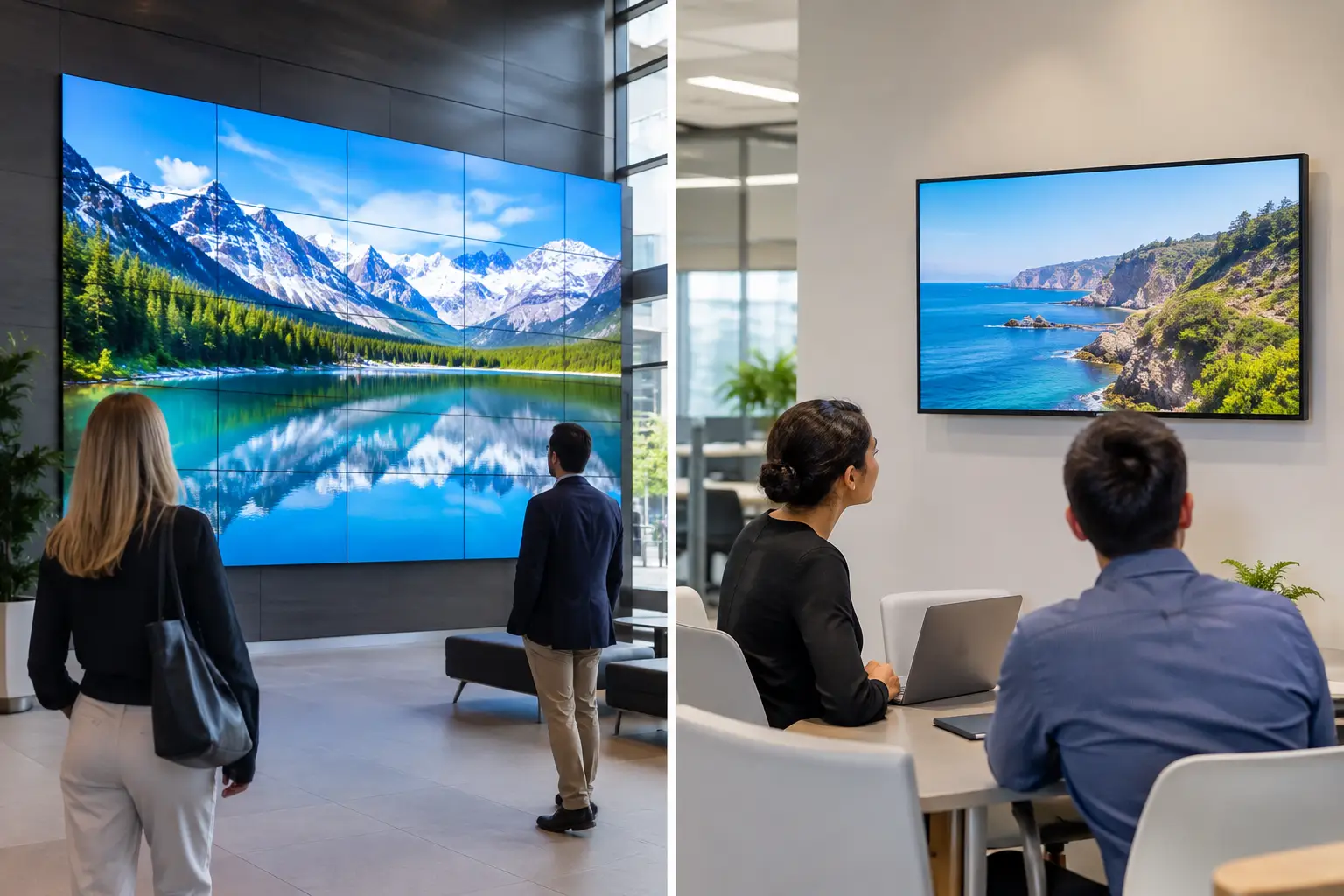
An LCD video wall is assembled from commercial-grade LCD panels. Each panel has its own bezel, so even narrow-bezel models retain visible grid lines between images. LCD walls are typically selected where high native resolution, close viewing, and controlled indoor lighting matter most. A 4K dashboard, detailed map, spreadsheet-like data view, or camera feed can remain legible at a relatively short distance without requiring an exceptionally large wall.
A direct-view LED videowall uses modular LED cabinets rather than individual flat panels. The image spans the full surface without bezels, creating one continuous canvas. LED is often the stronger option for large-format communications, high-brightness environments, and viewing from varied distances. Its visual effect is particularly useful in retail atriums, corporate lobbies, transportation areas, event spaces, and command environments where operators or visitors need to absorb information quickly.
Neither technology is automatically superior. A fine-pitch LED wall can deliver impressive close-range detail, but it may require more budget, more careful engineering, and a larger physical viewing distance than an LCD wall. An LCD wall can provide excellent detail and predictable image performance, but the bezel structure may be unacceptable for content designed as one continuous visual experience.
Start With the Operational Requirement, Not Screen Size
The most costly mistake is specifying a display based on dimensions alone. The relevant question is not simply, “How large should the wall be?” It is, “What must people be able to see, from where, under what conditions, and with what consequence if the display is unavailable?”
Viewing distance and pixel pitch
Pixel pitch is central to LED selection. It describes the distance between LED pixels, generally measured in millimeters. A smaller pixel pitch provides higher pixel density and supports closer viewing. If executives will stand two meters from a wall to review financial dashboards, a coarse-pitch LED surface may make text and fine interface elements difficult to read. In that scenario, a narrow-bezel LCD wall or fine-pitch LED configuration may be more appropriate.
At longer distances, the calculation changes. A large LED wall in a retail flagship, stadium concourse, or corporate reception area does not need the same pixel density as a control-room display. Its priority may be color, scale, visual continuity, and brightness rather than detailed data inspection.
LCD has a fixed panel resolution, commonly Full HD or 4K. This makes resolution planning more direct, especially where content includes dense operational data. However, the total canvas is constrained by the panel layout and bezel lines. Teams should build and test content at the exact wall resolution before deployment rather than assuming a standard 16:9 asset will translate correctly.
Ambient light and brightness
LED generally provides higher brightness, making it more suitable for spaces with substantial daylight or intense retail lighting. Brightness alone is not the objective. Excessive brightness can create eye strain, wash out content, and use unnecessary energy in controlled environments. The display should be specified for the actual lighting conditions and paired with schedules or sensors where appropriate.
Commercial LCD displays perform well indoors but can be limited in sunlit locations, particularly behind glass or opposite large windows. If the site cannot control daylight, an LCD wall may require changes to the physical environment, such as shading or screen repositioning, to preserve readability.
Content type and visual expectations
LED is strong when the content is motion-led, brand-led, or designed for large-scale communication. Promotional video, wayfinding, dynamic campaigns, live status messaging, and high-level visualization all benefit from a bezel-free surface. It is also well suited to layouts that need to change frequently across a large canvas.
LCD walls are often more efficient for detailed, persistent content. Security camera grids, incident dashboards, application interfaces, and engineering diagrams can remain sharp and stable for operators seated nearby. Bezel lines are less disruptive when the wall is organized into distinct zones, such as one camera feed or data source per panel.
Uptime Is a Design Requirement
For business-critical environments, image quality is only one part of the decision. An LED or LCD wall must be evaluated as an operating asset with defined ownership, monitoring, service access, spare-part strategy, and escalation procedures.
LCD walls contain multiple independent panels. If one panel fails, the fault is localized, but the failed unit can be visibly disruptive. Replacement requires access to the panel and confirmation that the color calibration, brightness, and model specification align with the rest of the wall. Product lifecycle management matters because an exact replacement model may not remain available for the full life of the installation.
LED walls are modular, which can simplify localized repairs when spare modules and trained service support are available. Yet LED introduces its own maintenance considerations: module calibration, power and data redundancy, controller configuration, heat management, and access to front or rear service areas. A wall designed without practical service access can create unnecessary downtime even when the failed component is small.
The appropriate availability target should be agreed before procurement. A lobby screen may tolerate a short maintenance window. A control-room wall supporting incident response may require redundant signal paths, 24/7 monitoring, documented failover behavior, and a support model that reflects its operational criticality.
Governance Matters More at Scale
The display hardware does not provide control by itself. Distributed estates need a platform that can manage content, permissions, schedules, device status, proof of playback, and exceptions from a central operating model.
DEX Manager provides this control layer for digital signage and videowall networks. It enables teams to publish content to defined locations, apply scheduling rules, monitor device status, and maintain traceability across thousands of endpoints. The platform can be deployed by SIA Interactive or through a certified partner network, allowing the same governance framework to support different delivery and support models.
For a videowall, governance also means recognizing that the wall is not a single ordinary screen. Content must map correctly across its physical layout, including panel arrangement, LED cabinet resolution, and any zones reserved for live data or emergency messaging. Centralized templates reduce the risk of local teams publishing assets with incorrect dimensions, unreadable text, or conflicting brand messages.
In control rooms and operational command environments, C-Control can extend this approach through centralized visualization and integration with relevant systems. The aim is not to place more data on a wall. It is to make priority information visible, actionable, and available when operators need it.
Cost Should Be Measured Across the Operating Life
Purchase price is a useful starting point, but it is not a complete business case. Total cost of ownership includes installation complexity, structural work, power, cooling, content production, software licensing, monitoring, maintenance, spares, and planned refresh cycles.
LCD walls can offer a lower initial cost for certain indoor applications, especially where the required canvas is moderate and detailed viewing is close. They may also be simpler to specify where a standard panel layout fits the use case. However, a larger LCD wall can introduce more bezels, more mounting points, and more individual devices to manage.
LED can require higher initial investment, particularly at fine pixel pitches. The return may be justified where visual continuity, high brightness, large scale, or flexible custom dimensions directly support customer experience or operational communication. It can also be a practical choice when a conventional panel grid would not fit the available architecture.
Procurement teams should ask suppliers to document not only the display specification but also expected operating hours, power profile, calibration approach, spare-part availability, service access, warranty terms, and the method for remote health monitoring. These are the details that determine whether a wall remains dependable after launch.
Selecting the Right Architecture by Use Case
A control center commonly favors LCD for close-range, data-heavy monitoring, although fine-pitch LED can be justified for larger rooms or shared visualization. Retail flagships and high-traffic public areas often favor LED because visual continuity and daylight resilience carry more weight. Corporate lobbies may use either technology: LED for architectural impact and changing communications, LCD for structured information walls where viewers stand nearby.
Quick-service restaurants and menu environments require a more specific assessment. LCD can be highly effective for individual menu boards and promotional screens. LED may make sense for a large central feature wall or a drive-thru context where brightness and viewing distance are defining requirements. In both cases, scheduled campaigns, dayparting, pricing controls, and device monitoring usually matter as much as the screen technology.
The best display is the one that supports a defined operational outcome without creating an unmanageable support burden. Specify the viewing conditions, content hierarchy, uptime target, and governance model first. Then select LED or LCD as the hardware architecture that can carry those requirements reliably over time.